Prepare the right manuals
Upload documents, review model and applicability information, and activate revisions when preparation checks are complete.

QMAN, the manual assistant for
equipment service teams.
A part to identify. A procedure to find.
A diagram to check. Start with a question.
QMAN searches your equipment manuals and brings the relevant information into one conversation, with references you can open and verify.
Your equipment. Your manuals. One place to ask.
Can you show me how this pump fits together?
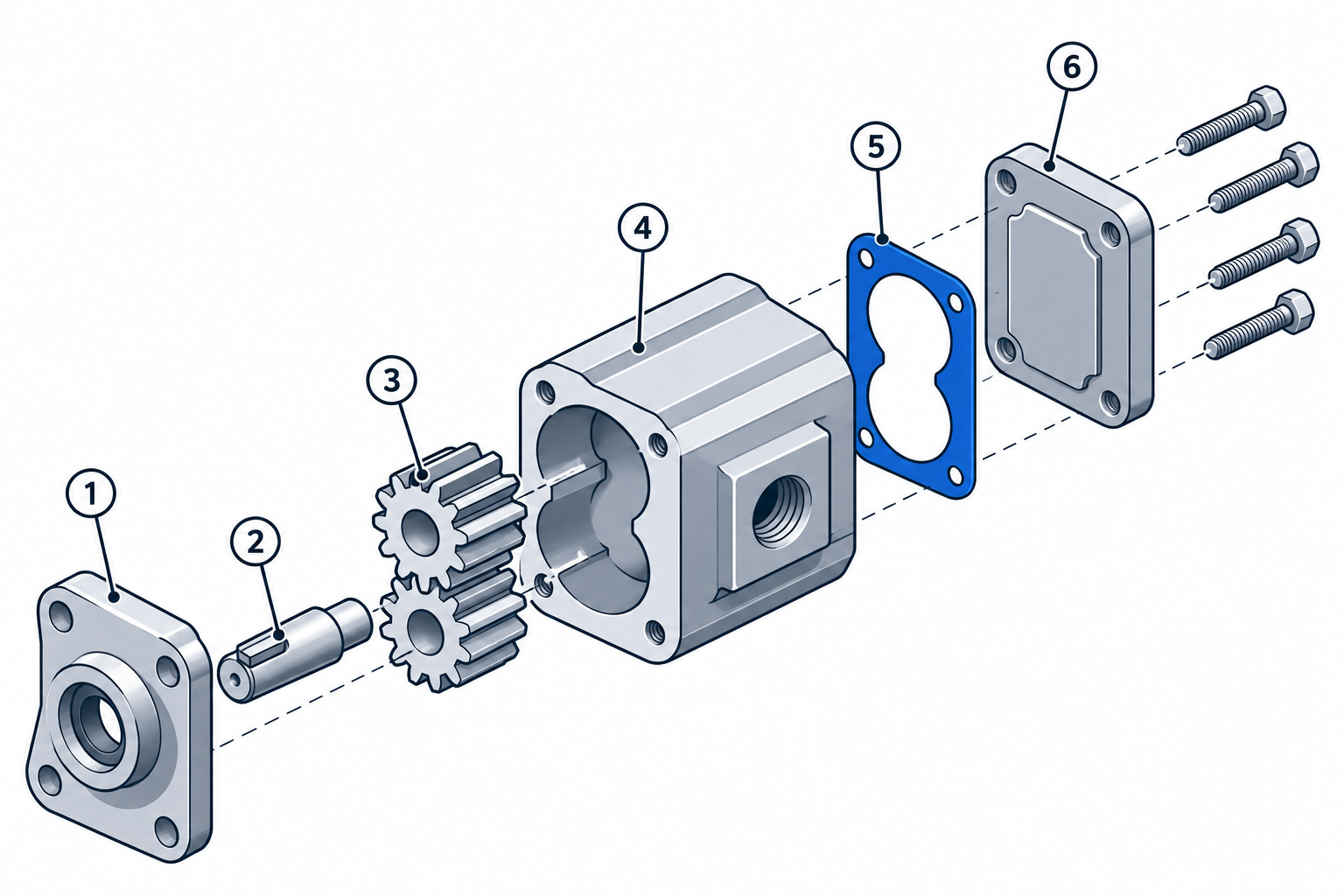
Service information, parts, and diagrams.
AI-generated concept illustration · Fictional assembly
FROM THE QUESTION TO THE ORIGINAL PAGE
Equipment manuals can run to hundreds of pages. Finding a term is only the beginning: you still need the right model, the right section, and the context around it.
QMAN brings the relevant references into the chat, so you can go from a question to the original manual and check the details yourself.
ASK. LOCATE. VERIFY.
Ask in your own words. Follow the references back to the manual.
You do not need to know the figure number or the page before asking. Start with the component or the task you are working on.
Examples illustrate the workflow, not service instructions.
Use the assembly drawing to identify each component, then check the corresponding parts table for its description and reference.
Part references and their supporting pages, together.
Start with the hydraulic filter section in the service manual. Review the preparation, safety precautions, and replacement steps on the original pages before beginning work.
The procedure and its context, ready to review.
An exploded view separates the components so you can see how they fit together. The numbered callouts help you identify each part.
Diagrams and component references, alongside the explanation.
A SIMPLE CHAT. A MANAGED LIBRARY.
Technicians ask questions in their workspace. Administrators prepare the manuals and decide who can use them.
Go to your workspaceUpload documents, review model and applicability information, and activate revisions when preparation checks are complete.
Manage users and groups, and choose which manuals are available to your technicians.
Continue a conversation, ask a follow-up, or search your previous chats to find information again.
BEFORE YOU BEGIN
QMAN searches the prepared manuals available to your account. Supported answers include references to the original documents so you can review the evidence.
No. Describe the component, symptom, or task. QMAN may ask for the equipment manufacturer, model, or serial number to narrow the search.
QMAN asks for clarification or explains that it could not verify an answer. Missing or unsuitable manuals may need an administrator’s review.
Access requires an enabled account. Administrators control manual visibility through users and groups. Technicians see their own conversation history.
No. Use QMAN to locate information and consult the original pages. Always check equipment applicability and follow the manufacturer’s safety instructions.
START WITH THE JOB IN FRONT OF YOU
Sign in with your enabled account to open your workspace.